


Kling AI: AI Image&Video Maker
4.53.28K Reviews
App Specs
- Version
- 3.7.40.391
- Updated On
- License
- Free
- Downloads
- 10,000,000+
- Developer
- KLING AI
- Categories
- Art & Design
- Platform
- Android, iOS
Screenshots
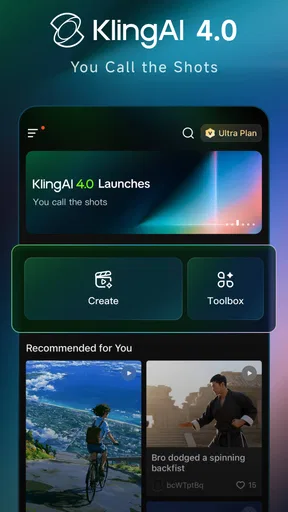
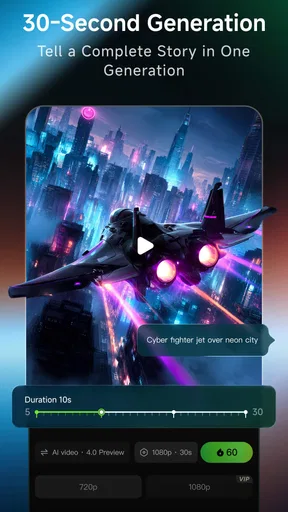
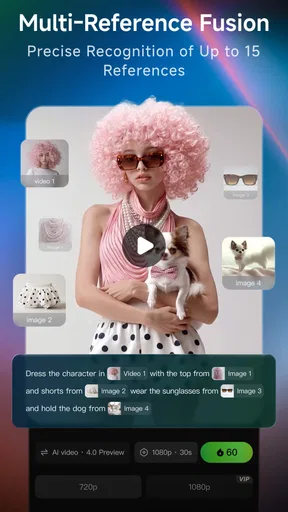
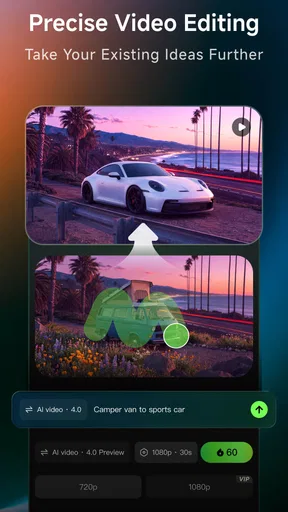
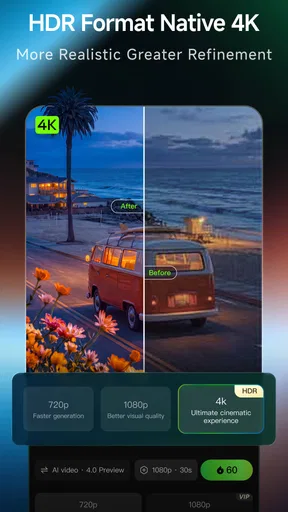
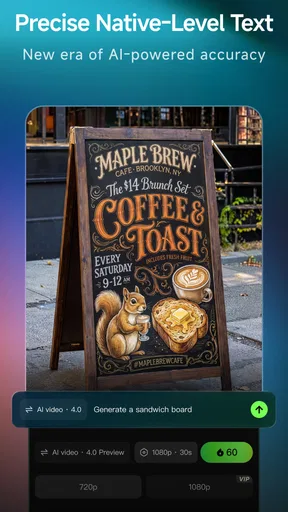
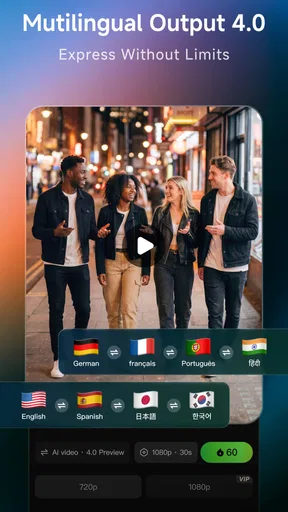
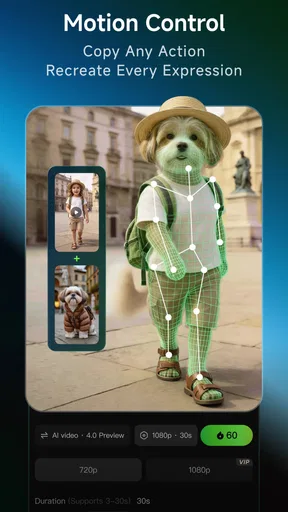
 Analysis by AppCompare
I found Kling AI: AI Image&Video Maker most useful when I treated it as a fast creative starting point, not a replacement for a full editing studio. It brings image and video generation together in an Art & Design app, which makes it easy to move from a visual idea to something I can refine and share. The appeal is clear: I can explore a concept without first mastering complex software. The trade-off is that quick AI output still needs a human eye; if precise control and repeatable results matter more than speed, a traditional editor may suit you better.
A quick route from idea to draft
The strongest reason to try it is the way it brings several creative steps into one mobile workflow. Rather than switching between a separate image generator, photo editor, and video tool just to test an idea, I can use one app as a place to experiment with visual directions. That is especially handy for social posts, mood-board material, rough campaign concepts, and personal projects where an initial draft is more valuable than pixel-perfect control.
For example, if I were helping a friend promote a weekend bake sale, I could start by exploring an illustrated look for a post, then try a short moving visual that gives the announcement more energy. I would still check the wording, composition, and details before sharing it, but the app could help turn a vague “make it feel warm and playful” brief into something concrete to react to. That first draft can make the next decision easier, even when it is not ready to publish untouched.
A useful habit with AI creation apps is to keep the first prompt focused. I would describe the subject, the mood, and the intended use before piling on decorative requests. If the result misses the mark, changing one part at a time makes it easier to see what helped. This approach also reduces the temptation to accept a visually striking result that does not actually fit the project.
Where its convenience has limits
AI generation is not the same as having exact control over every frame or design element. A result may look polished at a glance yet still need checking for small visual inconsistencies, awkward details, or a mismatch with the brief. For work where a logo must remain exact, a product must be shown faithfully, or a client expects repeatable brand styling, I would use a conventional design or editing tool for the final pass rather than assume a generated image or clip is ready as-is.
There is also a practical difference between making a quick experiment and producing a finished piece. Generation invites iteration, and iteration can take time: you may need to adjust your description, compare alternatives, and decide which version is actually useful. If you already know the exact edit you want, a manual editor with familiar controls may be faster than asking an AI system to infer it. I see Kling AI as most persuasive when the brief is open-ended, not when the job depends on precise, predictable edits.
It is worth thinking about cost before making the app part of a regular workflow. The app is free to download, while in-app purchases range from $1.19 to $1,099.99 per item. That wide span makes it sensible to explore the free experience first and check what a purchase covers before committing. I would not pay simply because a first result looks exciting; I would first establish that the app’s output, editing options, and day-to-day workflow solve a recurring need.
Worth Reading Before You Choose

Switching to Android Auto Means Rethinking Your Driving Routine

Google Calendar Makes a Crowded Week Easier to Manage

Baby Panda World Brings Quick Play to Modern Phones, but Its Game Library Feels Busy

ESPN’s Live Game View Makes Following Close Games Easier

QuizzLand Review: A Good Fit for Short Trivia Breaks, Not Every Player

Basketball Stars: Multiplayer Is Fast, but Can It Recover When Matches Go Wrong?
Who I would recommend it to
I would point casual creators, social media users, and small teams with modest visual needs toward this app if they want to test image and video ideas on a phone. It can also be useful for someone who is curious about AI art but does not want to begin with desktop software or a complicated editing setup. For a more deliberate workflow, I would use it to generate options, then move the strongest concept into a tool that gives me more control over typography, layout, and finishing details.
I would be more cautious about recommending it to anyone who needs dependable brand consistency, exact product representation, or fine-grained control over a finished video. It is also not the best fit if you dislike AI-generated aesthetics or would rather build each element manually. The key question is not whether the app can produce something eye-catching; it is whether its way of producing and revising work matches how you like to create.
The app is developed by Lohas Games Pte. Ltd. and has a 4.6 average from around 199,000 ratings, with over 5 million installs. It is rated Teen, runs on Android 5.0 and later, and its current version is 2.11.41.252. Those details make it approachable for many Android users, though I would still check the device’s available storage and performance before relying on any mobile creative tool for a time-sensitive project.
Create Like a Pro
Let’s dive into what makes Kling AI: AI Image&Video Maker tick. First off, this app is super user-friendly. You don’t need to be a tech wizard to get started. With its intuitive interface, even your grandma could churn out some impressive visuals. The app offers a wide range of templates and effects, allowing you to customize your projects to your heart’s desire. Whether you’re an influencer, a small business owner, or just someone who loves creating, this app has something for you.
Endless Features
So, what exactly can you do with Kling AI? Well, the list is pretty extensive. From AI-enhanced photo editing to video creation, the possibilities are almost endless. The app provides a plethora of filters and animations that can take your content from drab to fab in seconds. And let's not forget the AI-powered tools that make everything feel like magic. Just select a few options, and voila! Your masterpiece is ready.
Why It Stands Out
In a sea of similar apps, Kling AI stands out for a few reasons. Its AI technology is truly next-level, providing precise edits and suggestions that are spot-on. The app also runs smoothly without any annoying lag, which is a big deal when you're trying to meet a deadline. Plus, it’s constantly updating with new features and improvements, so you’re always getting the best of what technology has to offer.
Another cool feature is the community aspect. You can share your creations directly with friends or on social media platforms without leaving the app. It’s all about making your life easier and your content better.
Get Started Today
Ready to unleash your creativity? Download Kling AI and start exploring. Whether you're crafting a masterpiece or just playing around, you’ll find it’s an app that grows with you. With its combination of powerful tools and ease of use, Kling AI: AI Image&Video Maker is a must-have for anyone looking to elevate their content game. Give it a whirl and see the magic unfold!
How I would fit it into a real routine
For a realistic everyday use, imagine I have ten minutes before posting an announcement for a neighborhood event. I could use the app to explore a visual direction, compare a few generated ideas, and choose one that gives me a starting composition. I would then inspect the image at full size, check that the event details are not being represented as part of the generated artwork, and add accurate text in a tool built for layout. For a short video, I would keep the concept simple and review the result from beginning to end before sharing. That division of labor—AI for visual exploration, a conventional editor for exact information—is a more dependable workflow than expecting one tap to complete the whole job.
That same approach helps with personal projects. If I want a birthday invitation to feel dreamy rather than formal, I can use generation to test a mood before committing to colors and decoration. If the first attempt is too busy, I can simplify the request instead of endlessly adding instructions. The useful outcome may be a direction I can recreate elsewhere, not necessarily a finished asset I use unchanged.
Getting better results without wasting time
I would save a short note of the descriptions that produce a style I like, then change only the subject or mood for the next experiment. This is not a guarantee of identical results, but it gives me a clearer way to compare attempts than starting from scratch each time. I would also separate “make it look interesting” from “make it communicate clearly”: first explore the visual, then verify that the finished post or clip says what I intended.
For video, I would judge the whole sequence rather than only the opening frame. A clip can begin attractively and still feel inconsistent as it develops, so I would check motion, transitions, and whether the main subject remains easy to understand. For images, I would zoom in on faces, hands, lettering, and any object that carries factual importance. These checks take a little patience, but they help avoid the common mistake of mistaking a convincing thumbnail for a finished design.
Choosing between AI and familiar creative apps
Compared with a conventional photo editor, an AI-first tool is more appealing when I want to discover a look rather than make a known adjustment. A standard editor is usually the safer choice for cropping, color correction, removing a specific distraction, or preserving exact details. Compared with a dedicated video editor, Kling AI’s attraction is the ability to explore generated visuals alongside image work; a timeline-based editor is usually better when I need precise cuts, sound placement, or a carefully timed sequence. I would choose based on the task, not on the assumption that one app should replace every other tool.
It also occupies a different space from illustration software. If I enjoy drawing and want every line to reflect my decisions, a brush-based app gives me more direct authorship. If I have an idea but not the time or confidence to build every visual element manually, AI generation can be a helpful collaborator. The distinction matters: someone seeking craft practice may find automation unsatisfying, while someone trying to make a quick concept board may appreciate the speed.
Questions worth settling before relying on it
Can I use it for professional work? I would say it can support early concepts and lightweight social content, but I would review every asset carefully and finish detail-sensitive work elsewhere. Can it replace a dedicated editor? Not for every job: it is a convenient place to generate and edit, while specialist tools remain preferable when exact controls, dependable typography, or a detailed timeline are central to the task.
Is it suitable for a first-time creator? Its approachable presentation makes it a reasonable place to experiment, and the Teen content rating is useful context for families considering it. I would still supervise younger users’ creative choices and purchases, especially because optional in-app items can vary greatly in cost. Does it work for a quick post? It can help create a starting visual, but I would leave time to inspect and finish the result rather than plan around an unreviewed, one-tap output.
One further consideration is the audience for the finished work. If I am posting for a business or organization, I would check that the visual fits its tone and that any factual details are added accurately outside the generated image. For a private experiment, I can be looser; for something public-facing, a quick review of composition, wording, and consistency is worth the extra minute.
My verdict after weighing the trade-offs
Kling AI is most convincing as a pocket-sized idea studio: it lowers the effort of exploring images and video, and it gives beginners a more inviting way into AI-assisted creation. Its best use is not automatic perfection but momentum—the ability to turn a rough thought into something visible, then decide what to keep. That can be genuinely useful for casual creators and small projects, especially when speed matters more than exact control.
I would try it if I wanted a low-friction way to test visual concepts on Android, keeping the free starting point in mind and checking purchase choices carefully. I would skip it as my main tool for tightly specified client work, precise brand assets, or editing that depends on predictable manual controls. Used with a critical eye and a separate finishing step when needed, it earns a place in a creator’s toolkit; treated as a substitute for judgment, it is much less convincing.
Pros
- User-friendly interface enhances creativity.
- Wide range of templates for quick edits.
- Fast processing even for high-resolution media.
- Supports multiple formats for versatile output.
- Regular updates with new features and tools.
Cons
- Occasional lag on older devices.
- Limited free version features.
- Requires internet for optimal performance.
- Subscription model can be expensive.
- Some advanced tools need improvement.
FAQs for Kling AI: AI Image&Video Maker
What is Kling AI: AI Image&Video Maker?
Kling AI: AI Image&Video Maker is a cutting-edge application designed for creating and editing images and videos using artificial intelligence. It offers a variety of tools that allow users to enhance their visual content easily, whether for personal projects or professional use. The app is available for both Android and iOS devices.
What features does Kling AI offer for image and video editing?
Kling AI provides a range of features, including AI-driven filters, automatic background removal, and video enhancement tools. Users can apply creative effects, adjust lighting, and add text overlays seamlessly. The app also supports high-resolution exports, making it ideal for social media sharing and professional presentations.
Is Kling AI suitable for beginners?
Yes, Kling AI is designed with an intuitive interface that caters to both beginners and experienced users. The app provides tutorials and tips to help new users get started quickly. Its AI-powered features simplify complex editing tasks, allowing users with little experience to achieve professional-looking results with ease.
Are there any in-app purchases or subscriptions required?
Kling AI offers both free and premium versions. The free version includes basic features, while the premium subscription unlocks advanced tools and effects. Users can choose a monthly or annual subscription, which provides access to the latest updates and exclusive content. A free trial is often available for new users.
How does Kling AI ensure the privacy and security of user data?
Kling AI prioritizes user privacy by employing strong encryption methods and adhering to data protection regulations. The app does not store personal data beyond what is necessary for functionality. Users have control over their data and can delete their information at any time through the app’s settings.


